Vacuum filters don’t come with a universal expiration date. How long one lasts depends on the machine, the type of filter, how often you vacuum, and what you’re picking up. A home with pets and carpet asks more of a filter than an occasional cleanup on hard floors.
Instead of following a single rule, start with your vacuum manufacturer’s schedule and watch for the signs below.
Common Signs a Filter Needs Attention
These signs don’t always mean the filter is the cause, but they are a good reason to check it.
Reduced Suction
A filter that is packed with fine dust can restrict airflow. If your vacuum isn’t picking up the way it used to, the filter is a sensible place to start. Reduced suction can also come from a full dustbin, a clogged hose, or a tangled brush roll, so check those at the same time.
Visible Dirt and Clogging
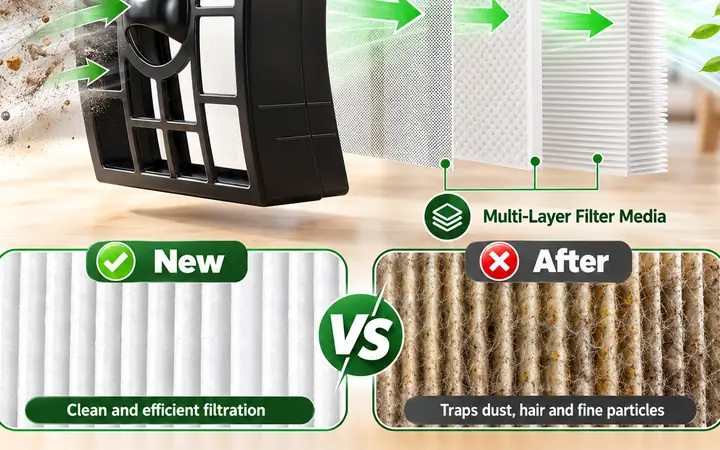
With the vacuum turned off and unplugged, remove the filter and look at it. Heavy buildup, matted dust, or pleats that are packed with debris all suggest that it needs attention. Some staining can be normal, so judge it alongside how the vacuum is performing.
Odors
A filter can hold on to dust, pet hair, and other debris, which may contribute to a musty smell when the vacuum runs. Empty the dustbin and inspect the filter. A smell of burning is different: stop using the vacuum and follow the manufacturer’s guidance.
Physical Damage
Replace a filter that is torn, warped, crumbling, or no longer sits properly in its housing. A damaged filter may let dust pass through, and cleaning it won’t repair it.
Check the Manufacturer’s Maintenance Guidance
Your owner’s manual is the best source for how often to clean or replace the filters in your vacuum. Guidance can differ from one model to another, and many vacuums use more than one filter, such as a pre-motor filter and a post-motor filter, each with its own instructions.
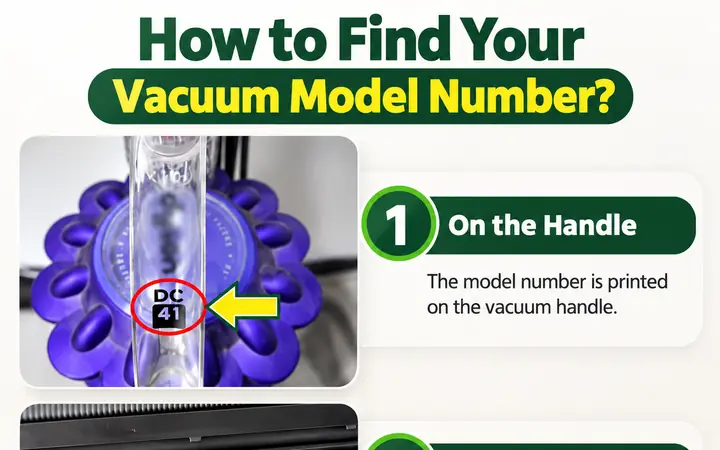
If you’ve lost the manual, look on the manufacturer’s website using your model number. Our guide on how to find your vacuum model can help you locate it.
Washable and Non-Washable Filters
Not every filter can be cleaned, so it’s important to know which type you have.
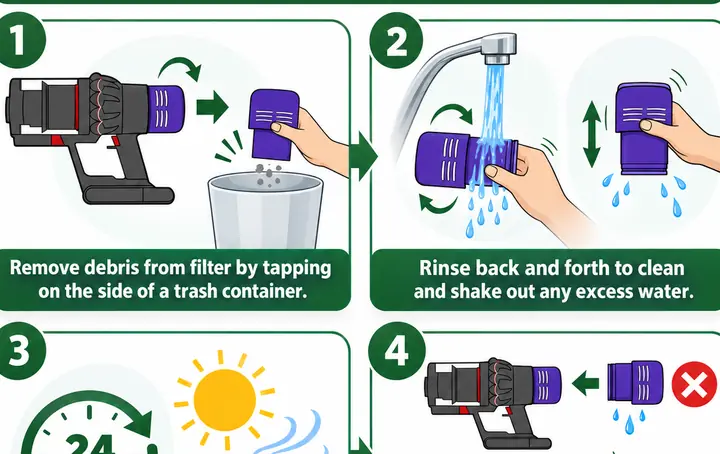
- Washable filters can be cleaned as directed, but they still wear out. Replace one if it’s damaged, or if it still looks clogged or the vacuum still underperforms after a proper cleaning and complete drying.
- Non-washable filters shouldn’t be rinsed. Water can damage them, so replace them according to the manufacturer’s guidance or when they show the signs above.
A filter being called HEPA doesn’t tell you whether it can be washed. Check the instructions for your exact filter and vacuum. If yours is washable, follow our steps on how to clean a washable filter.
Before You Buy a Replacement
- Confirm your exact vacuum model.
- Check which filters your vacuum uses, because some machines need more than one.
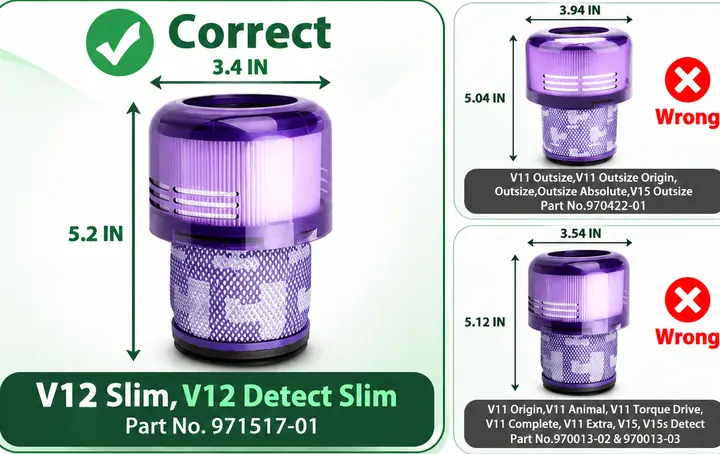
- Compare your current filter’s shape, size, and part number with the product details.
- Confirm that your exact model appears in the product’s compatible models.
NOONEVA offers replacement filters compatible with selected models. Browse Dyson-compatible filters, Shark-compatible filters, or Bissell-compatible parts, and read how to check product compatibility before you order.