Replacement filters can look almost identical and still differ in the ways that matter. A filter that’s slightly the wrong size or shape may not seal properly, or may not fit at all. Checking compatibility before you order takes only a few minutes.
Here is the process we recommend, along with how to read the compatibility information on NOONEVA product pages.
About NOONEVA Replacement Parts
NOONEVA sells independently branded aftermarket replacement parts. NOONEVA is operated by RepAir LLC and isn’t affiliated with, sponsored by, or approved by Dyson, Shark, or Bissell. We use those brand and model names only to describe compatibility.
Step 1: Identify Your Vacuum’s Brand and Model
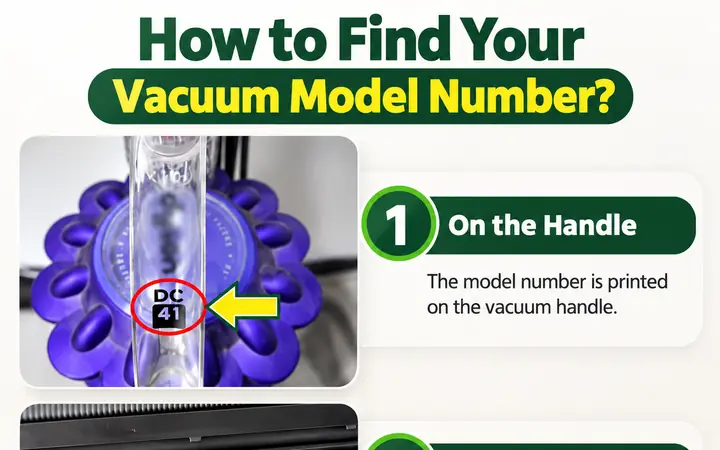
Start with the exact model number, not just the brand or product family. If you don’t have it yet, follow our guide on how to find your vacuum model. Write it down exactly as it appears, including any letters at the end.
Step 2: Check the Filter’s Shape and Dimensions
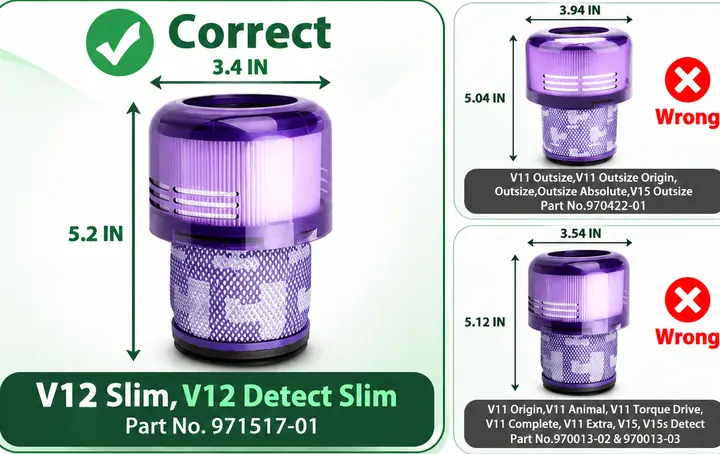
Compare your current filter with the product images and details. Look at the overall shape, the height and width, and any tabs or connection points. Where a product page lists dimensions, measure your existing filter and compare the numbers.
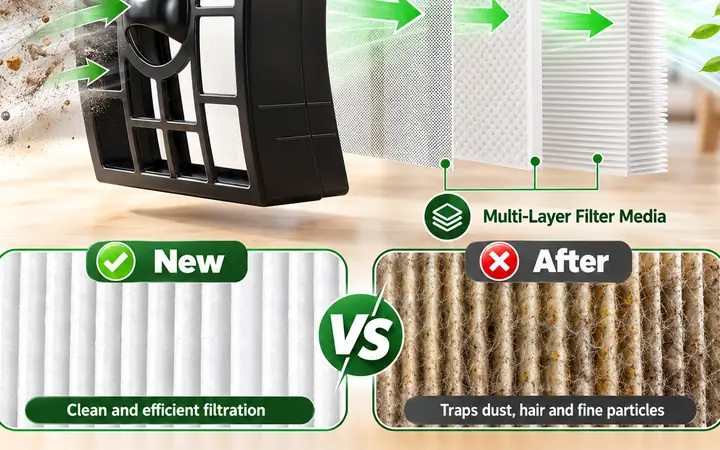
This check matters most for filters that look alike. Our guide image, for example, compares three similar-looking filters whose sizes differ by only a fraction of an inch.
Many vacuums use more than one filter, so make sure you’re comparing the correct one. Check whether a kit includes everything you expect to replace.
Step 3: Compare Part Numbers
If your current filter or your manual shows a part number, compare it with the references on the product page. For example, the Dyson V12 Slim compatible filters list reference 971517-01, and the Shark Navigator NV350 filter kit lists XHF350 and XFF350.
A matching reference is a strong sign that you’re on the right track, but it should support your model check rather than replace it.
Step 4: Read the Compatibility Information
NOONEVA product pages separate what is confirmed from what isn’t. Read each part before you order:
- Compatible models: the models we list for that product. Your exact model should appear here.
- Not confirmed, verify first: models that need an extra check. Confirm the fit before you order, or ask us first.
- Not compatible with: models or filter types the product isn’t intended for.
A real example: the washable filters compatible with selected Dyson V11 and V15 models list models such as the V11 Animal and V15 Detect, while Outsize models, the V12, and the V10 are listed as not compatible, even though some of those machines look similar.
Step 5: Avoid the Most Common Mistakes
- Choosing a part from the brand name or product family alone.
- Assuming that a close model number will fit.
- Relying only on color or general appearance.
- Replacing one filter when your vacuum uses several.
- Ordering when your model appears under “verify first” without checking.
Selecting an incompatible model is generally treated as a preference-based return under our Refund, Return & Limited Warranty Policy, so it’s worth checking first.
Still Not Sure?
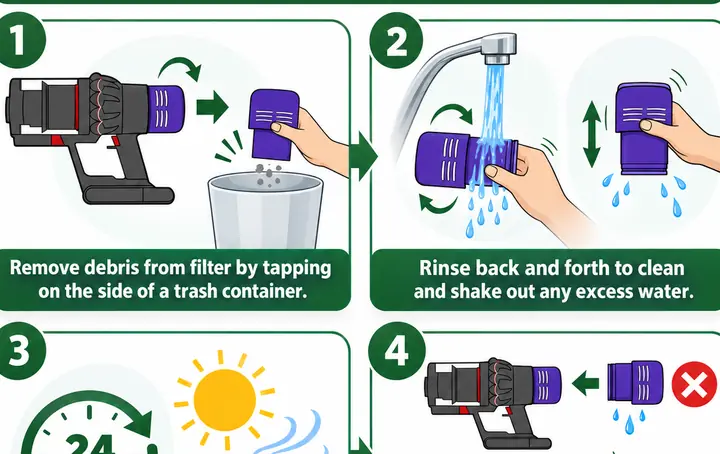
Enter your number in the NOONEVA vacuum model search, or browse Dyson-compatible, Shark-compatible, and Bissell-compatible parts. If you can’t confirm the fit, contact us before you order and include your vacuum’s model number. For filter care, see how to clean a washable filter.